
Sync
Copy photos and videos to your own computer over Wi-Fi. Free phone space later. The computer keeps its copy.
AvailableZapya runs on:WindowsmacOSLinuxAndroid
Free up your phone. Keep every photo.
Zapya copies photos and videos from your phone to your computer over Wi-Fi. After the copy is there, you can free space on the phone. The file on your computer stays.
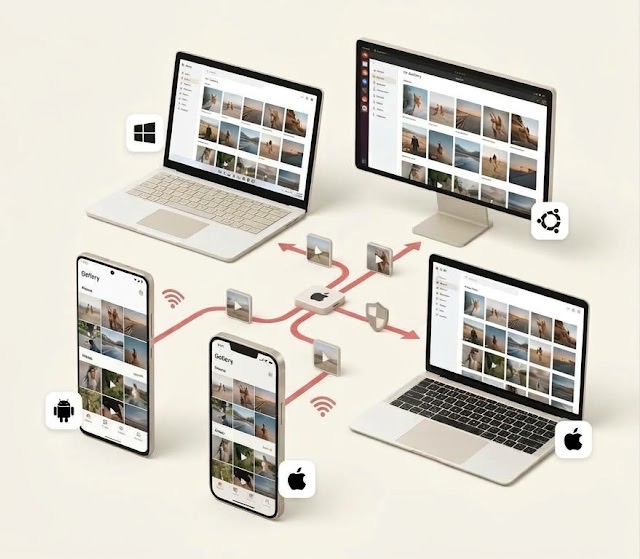
Copy photos and videos to your own computer over Wi-Fi. Free phone space later. The computer keeps its copy.
AvailableZapya runs on:WindowsmacOSLinuxAndroid
Search by what's in a photo, who's in it, or how it's captioned — not just filenames.
AvailableZapya runs on:WindowsmacOSLinuxAndroid
Auto-grouped by people, places, events, and screenshots. Screenshots stay apart from photos. Files stay put.
AvailableZapya runs on:WindowsmacOSLinuxAndroid
Coming soon: background removal, enhancement, and object removal.
Coming soonThe direct transfer you already know still moves files between your own devices over Wi-Fi. The file on your computer stays after you delete it on the phone. AI search and organization run on that computer.
Sync fast. Organize later.
A delete on the phone does not delete the file on your computer.
The first sync moves quickly, and every sync after that is incremental — only new or changed files transfer. Once your library is on your computer, AI processing continues at your desktop's own pace. Open the app while you're on the same Wi-Fi as your computer, and it syncs automatically — there's no background service watching for your phone, just a fast sync the moment you're both connected.
iCloud Photos removes a photo from iCloud and from your other Apple devices when you delete it on the phone. Google Photos can free space on the phone and keep the copy in your Google account. A delete in the phone gallery can still remove that Google copy. Zapya's copy is a file on your computer. Removing the phone file leaves that computer file in place.
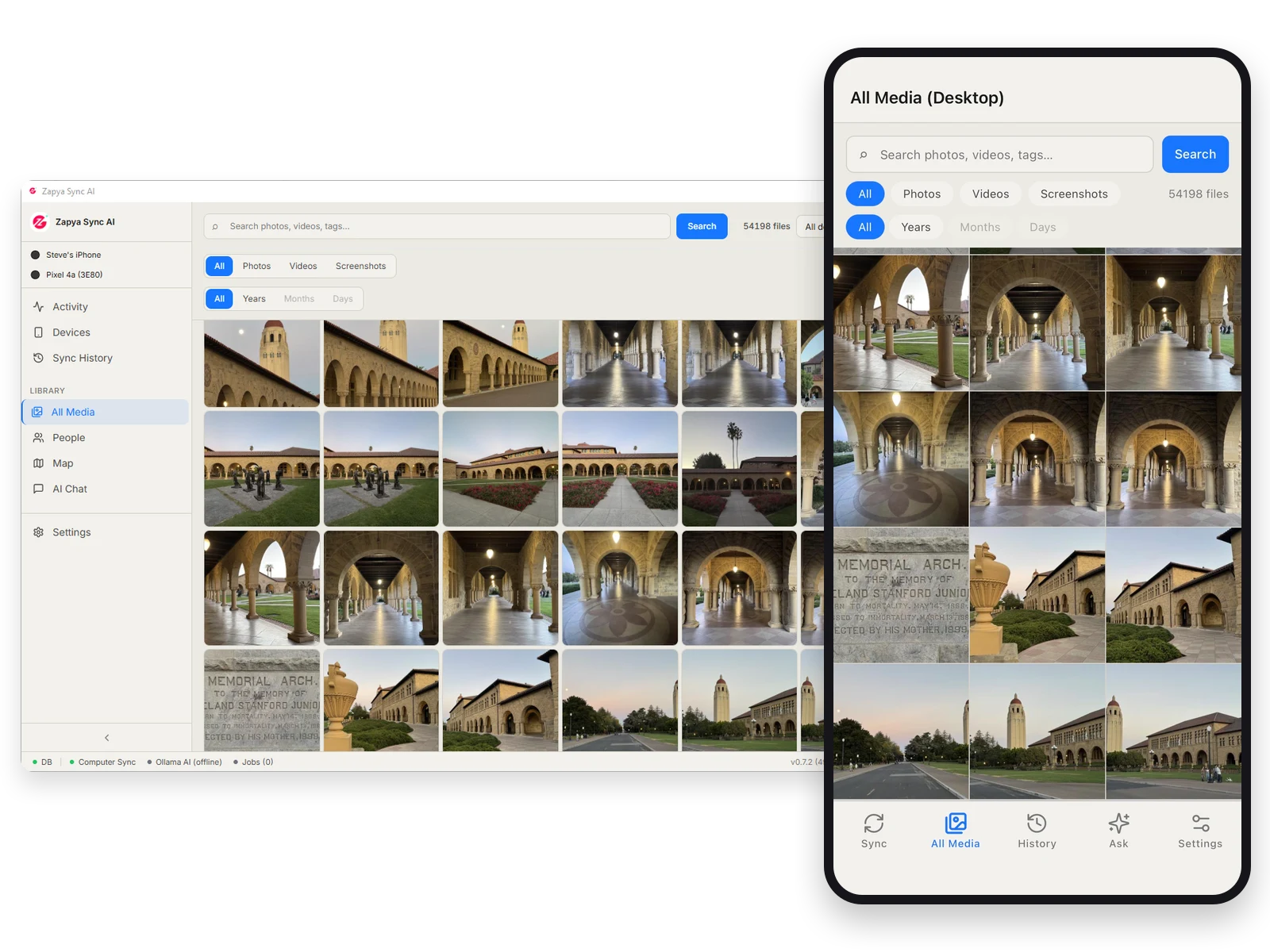
Once files move to your computer, they're still one search away — browse and search your complete library from your phone, over your local network, whenever you're connected.
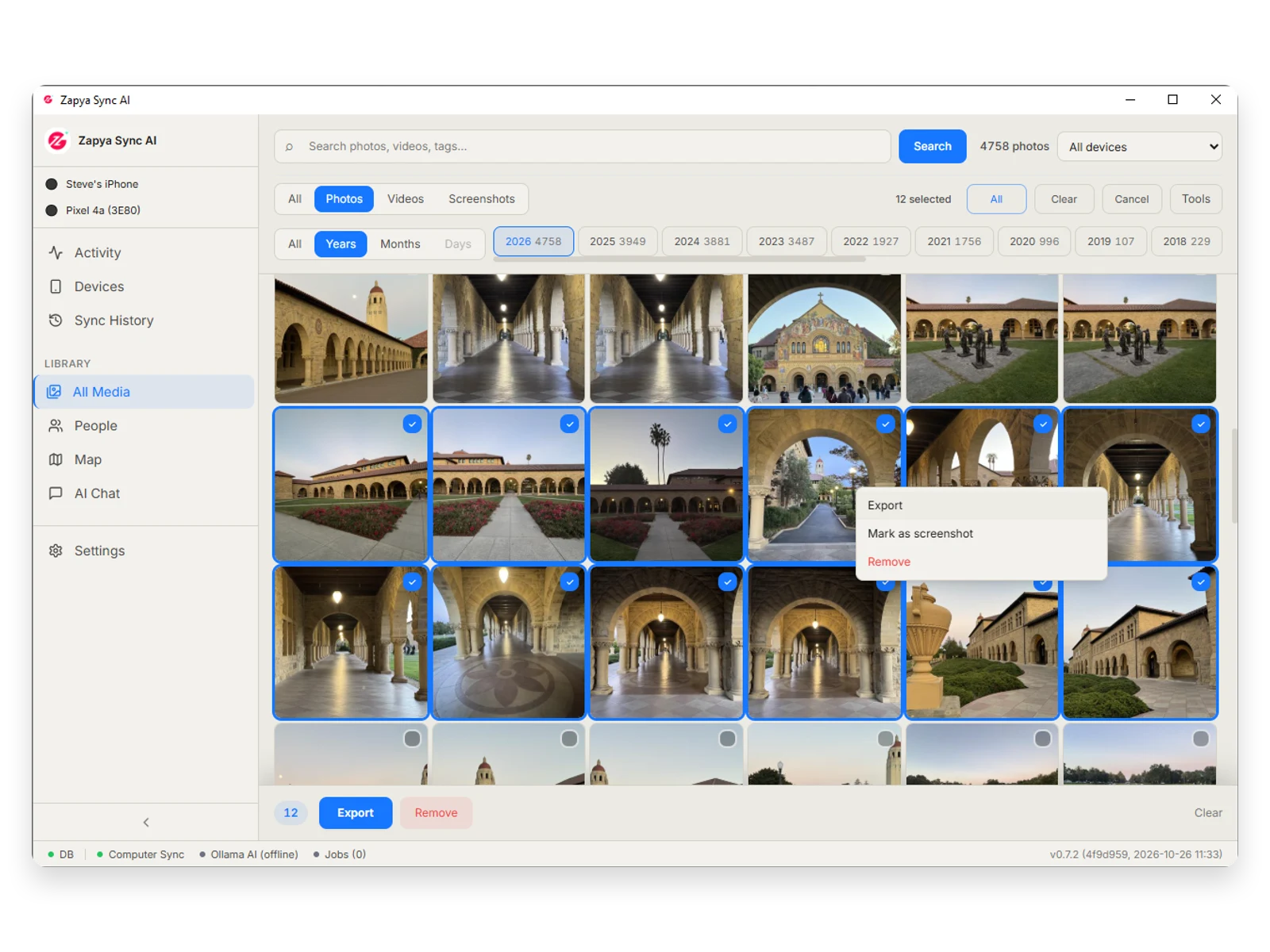
Filter your library by date, person, or keyword, select the results, and export clean copies with smart naming presets — ready to share or back up elsewhere.
A dedicated filter — built from file metadata, on-device text recognition, and caption keywords — keeps screenshots apart from your normal photos and videos.
Jump straight to any day, month, or year in your library.
Find every photo of one person, matched entirely on your own device.
Spot near-identical shots and reclaim the space they waste.
A photo app in the cloud can hold a copy in that account. Zapya also puts a normal file on a computer you own. It never hurts to keep that extra copy.
AI processing runs entirely on your device, too — nothing is uploaded to power search, organization, or editing.
Planned, not fully available yet.
Ask questions about your library and get answers from a local AI model — no network round-trip, no per-query cost.
Automatic, detailed descriptions generated for every photo.
Keep one more copy on a second computer you own.
All three ride on bigger, locally-run open-source AI models — sharper face matching, richer descriptions, more accurate search, still fully on-device.